
Use WordPress Template Hierarchy
The “Use WordPress Template Hierarchy for Tutor LMS Templates” setting reverts Tutor LMS’s template loader back to the WordPress default for specific templates in order to make it compatible with the Blocksy theme’s “Single Template” Content Block overrides and similar features in other plugins. It currently only includes Tutor LMS’s Course Archive page.
This is an advanced setting and has only been tested with the Blocksy theme’s Content Block feature. Most users can safely ignore this setting and leave the Course Archive option unchecked. If checked without configuring Blocksy, it will break the default course archive layout.
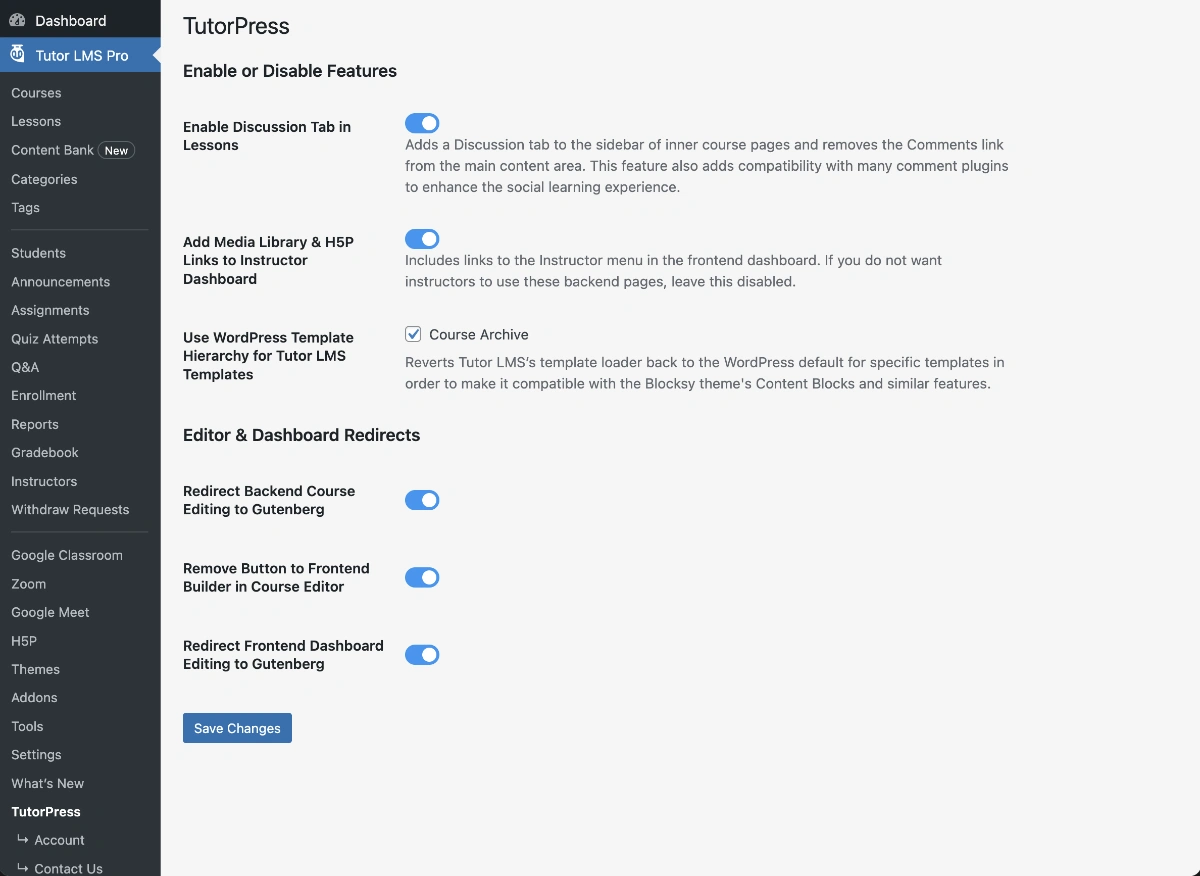
When to Enable:
- You’re using a theme with advanced template override features (e.g., Blocksy Pro)
- You want to customize the course archive layout in Gutenberg and are comfortable with dynamic blocks
When to Disable:
- You’re satisfied with Tutor LMS’s default course archive layout
- Your theme doesn’t provide advanced template override features

To learn more about Blocksy’s “Single Template” Content Block feature, click here. We also recommend a block library with dynamic blocks, like GreenShift, to re-create the course archive. To directly purchase the Pro version of Blocksy, click here.
Last updated February 3, 2026