
TutorPress Settings Overview
Access the TutorPress settings page by navigating to Tutor LMS → TutorPress in your WordPress admin.
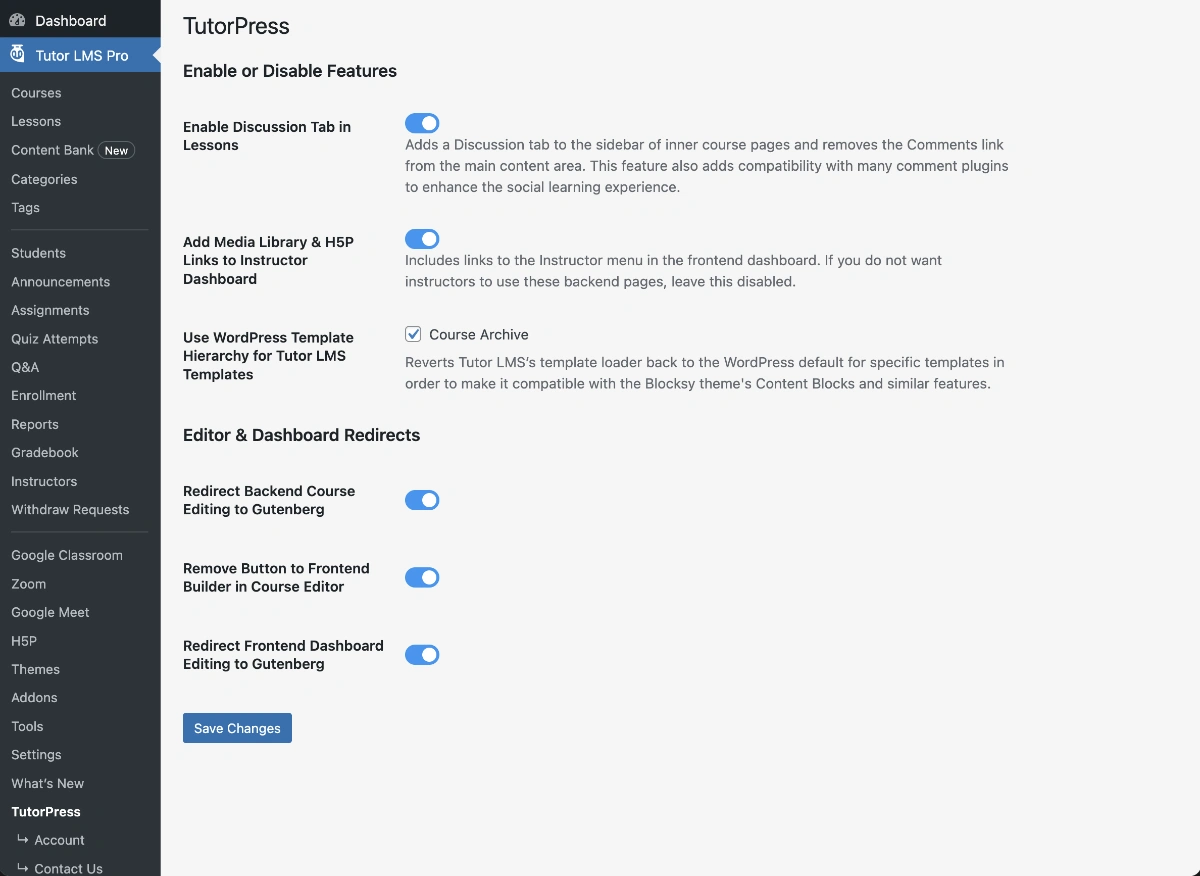
Settings Page Overview
The TutorPress settings page provides configuration options for features that are specific to TutorPress and not covered by Tutor LMS’s settings. Settings are organized into two main sections:
- Enable or Disable Features – Core TutorPress functionality toggles
- Editor & Dashboard Redirects – Controls for Gutenberg editor integration
After configuring your preferred settings click the Save Changes button at the bottom of the page.
Last updated February 3, 2026
0