
Course Bundle Settings
This section will provide a quick overview of the course bundle settings with a screenshot of the new Gutenberg interface. Course Bundles is a premium addon of Tutor LMS. As an addon of Tutor LMS, we recommend reading their documentation on course bundles and all other settings. Any settings that diverge from Tutor LMS will be expanded upon, but otherwise this documentation will link to Tutor LMS’s own.
Courses metabox
The Courses metabox is where you add and organize courses in the course bundle in Gutenberg. Clicking the “Add Courses” button opens a pop-up modal displaying a list of all the courses on your website*, along with their prices. You can select the courses you want to add to this bundle or use the search box to find a specific course.
For more information, visit Tutor LMS’s documentation on:
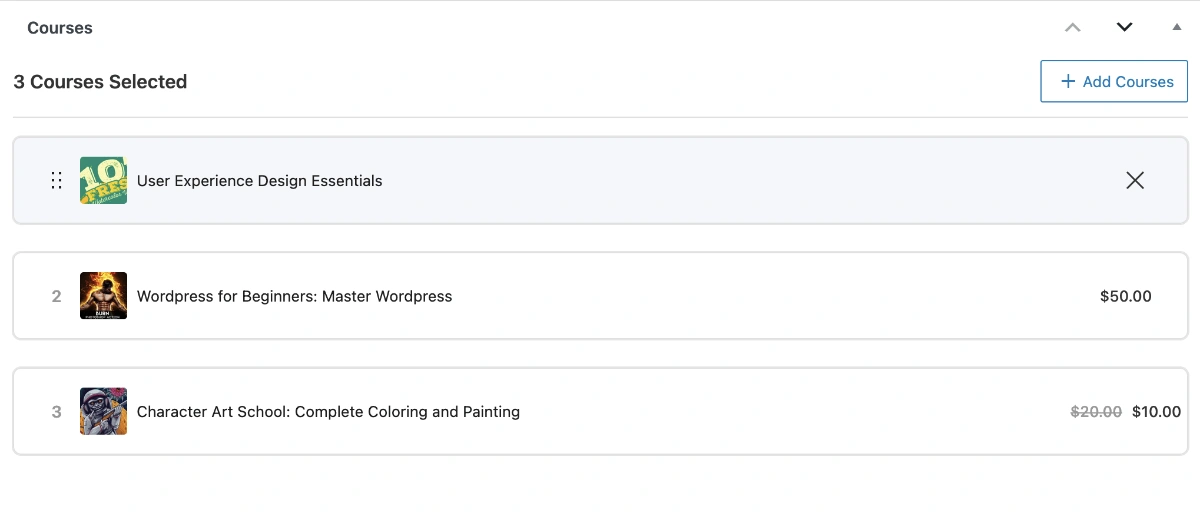
As of Tutor LMS 3.6.9, we have found that they do not implement any course ownership validation in course bundle selection! This is a critical security and business logic issue for course marketplaces that allows instructors to profit from other instructors’ work. We implemented proper course-level validation in TutorPress’s Course Bundle integration, but the fix does not apply to Tutor LMS’s frontend course builder.
In TutorPress, users can only bundle courses they actually own, which prevents the profit theft issue. We also made it flexible by allowing instructors to bundle free courses from other instructors.
Bundle Benefits metabox
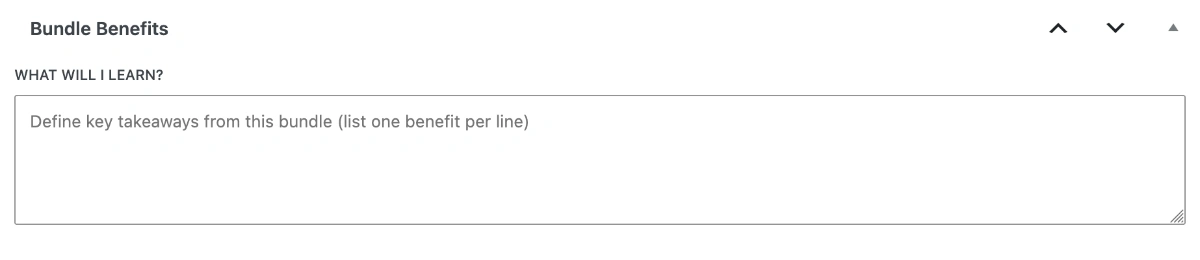
The Bundle Benefits metabox is the same field as the “What Will I Learn?” section in the Course Bundle frontend builder → “Additional” tab. This is where you provide specific promotional copy about the benefits of the course bundle.
Bundle Certificate metabox
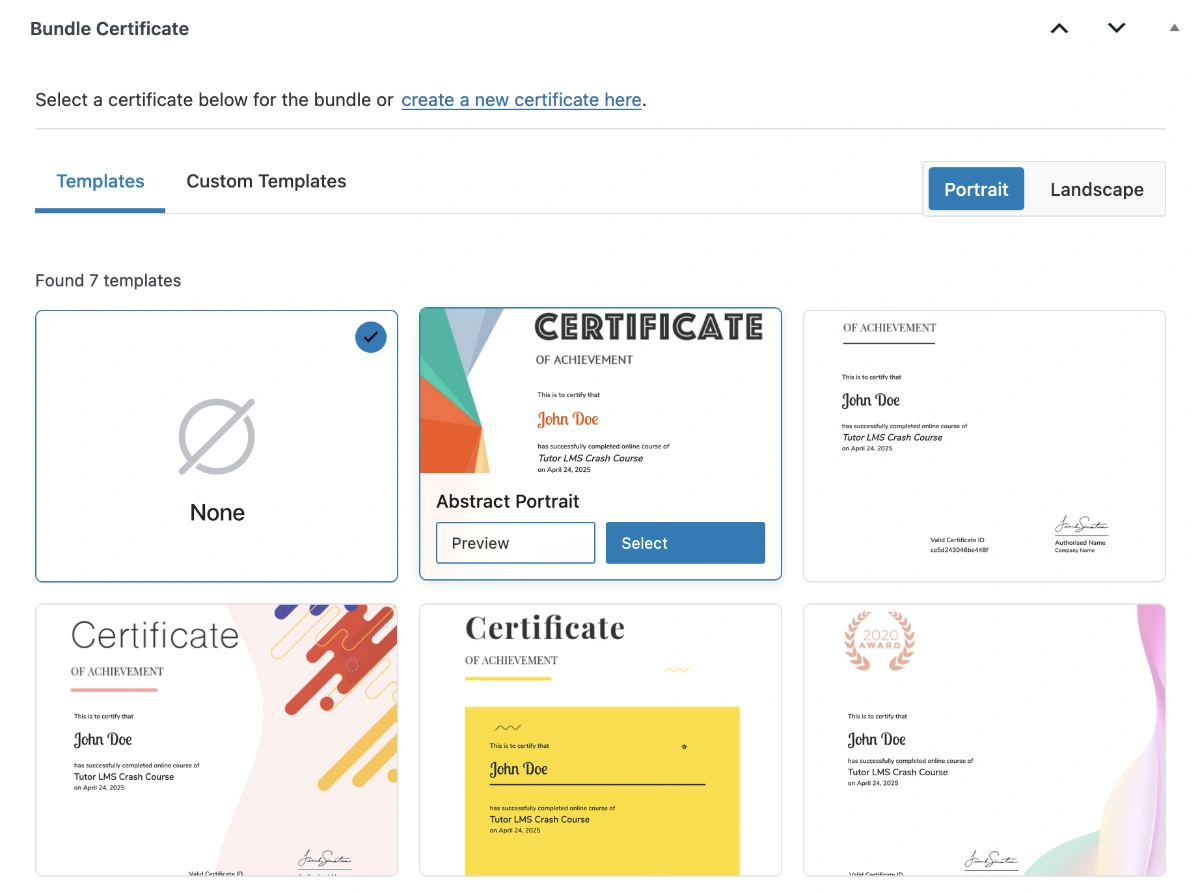
The “Bundle Certificate” metabox replicates the Certificate section in the “Additional” tab of Tutor LMS’s frontend builder for course bundles, and provides a convenient link to the Certificate Builder when the “Certificate customizer for Tutor LMS” plugin is activated.
For more information, visit Tutor LMS’s documentation on:
Bundle Pricing panel
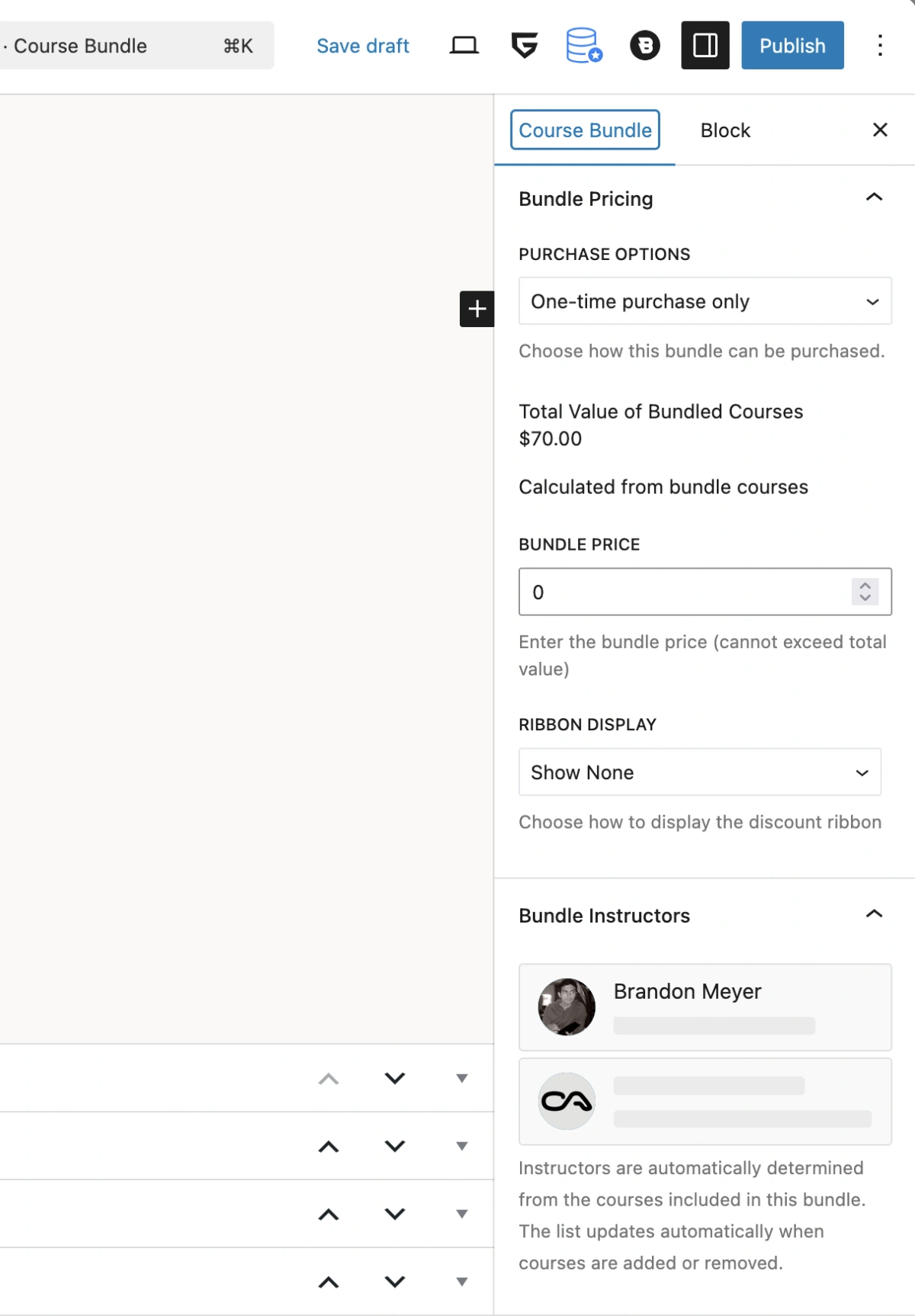
The “Bundle Pricing” panel is the same as the bundle price settings in Tutor LMS’s frontend builder for course bundles, and displays a regular price that is the sum of all the course prices within the bundle. The “Sale Price” field is the price you set on the course bundle, and the ribbon display drop down provides options to promote the sale price of the bundle on the bundle cards in the frontend. These settings and available ecommerce integrations are quite involved and time is needed to get familiar with whichever commerce solution you decide to implement on your Tutor LMS/TutorPress site.
The TutorPress-PMPro integration addon is available with your purchase of TutorPress and includes its own set of documentation here. However, it is important to note that the PMPro integration is not supported in the frontend course builder. You do NOT enable Tutor LMS’s own Paid Memberships Pro or Subscriptions addons.
For more information visit Tutor LMS’s documentation on:
- The price settings in the Adding Courses to the Bundle documentation
- Tutor’s native ecommerce
- Tutor’s WooCommerce integration
- Tutor’s EDD integration
- TutorPress’s Paid Memberships Pro integration (documentation coming soon)
Bundle Instructors panel
The Bundle Instructors panel automatically lists all the instructors from the courses included in the bundle.
Tutor LMS splits course bundle commissions between the site admin and the author of the course bundle, not each instructor included in the bundle.
Last updated February 4, 2026