
Assignment Settings Overview
This section will provide a quick overview of the assignment settings with a screenshot of the new Gutenberg interface. Assignments is a premium addon of Tutor LMS. We recommend reading their documentation on assignments and all other settings. Any settings that diverge from Tutor LMS will be expanded upon, but otherwise this documentation will link to Tutor LMS’s own.
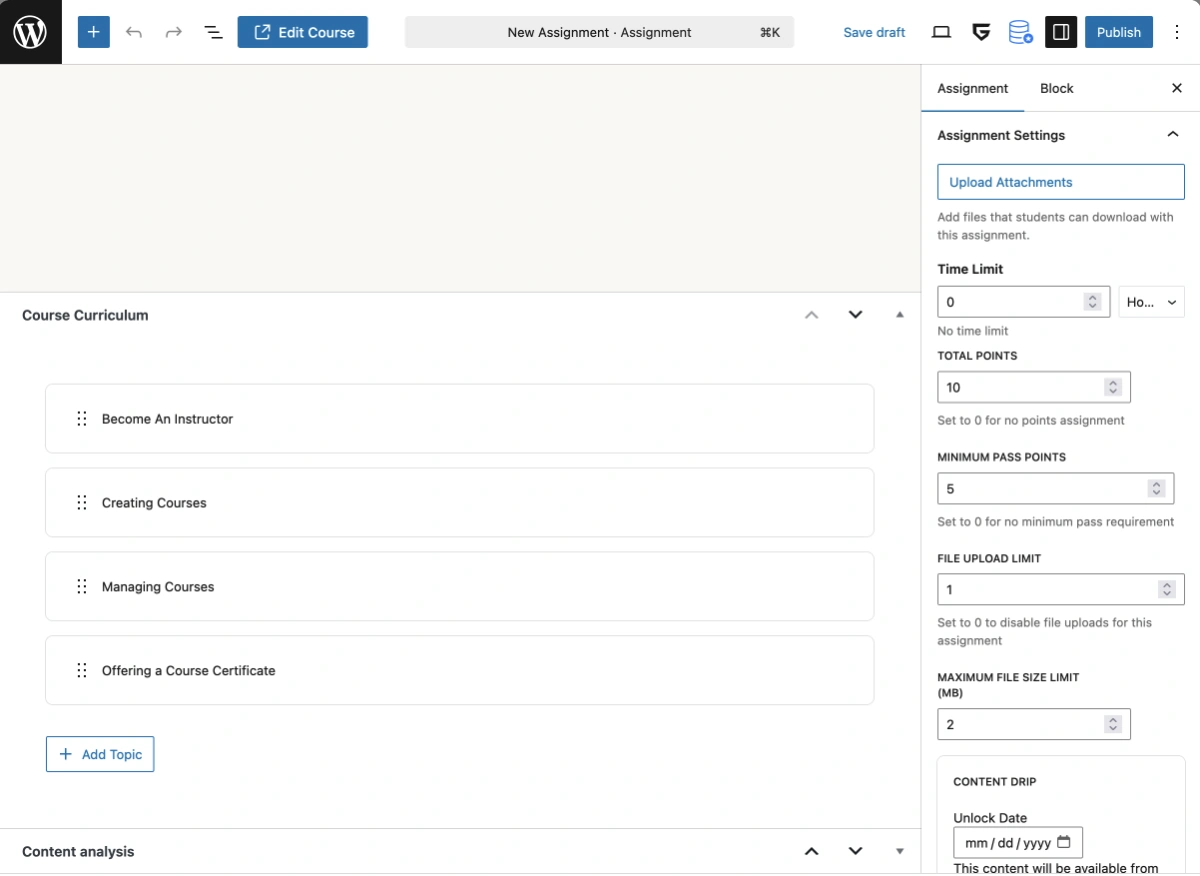
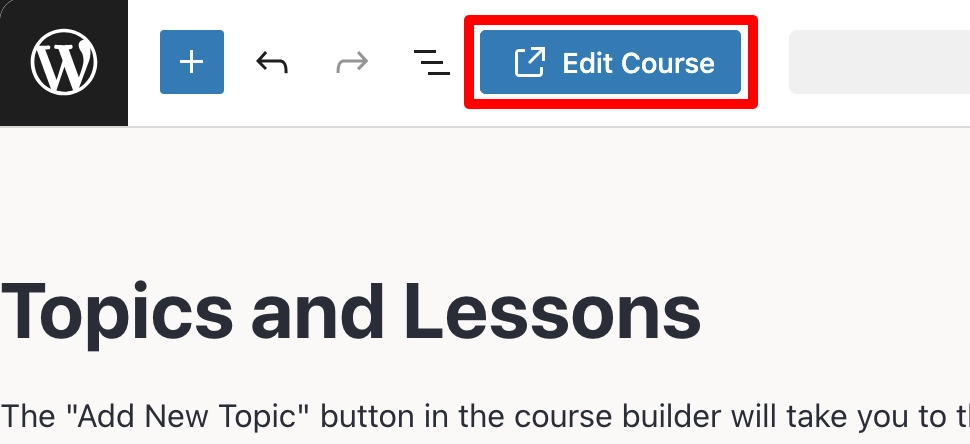
The key difference when creating courses in Gutenberg is when you create a new lesson or assignment you are redirected to the Gutenberg editor of the newly created lesson or assignment. The “Course Curriculum” metabox is also displayed in lessons and assignments, and you can easily navigate back to the parent course by clicking the “Edit Course” button in the top toolbar of Gutenberg.
Attachments
To provide students with supplemental resources, such as sample questions, research papers, or templates, click the Upload Attachment button to add files directly to the assignment.
Time Limit
Specify how long students have to complete the assignment. The countdown begins the moment a student opens the assignment in the course. Enter 0 for an unlimited time, or enter a number and choose a unit (Weeks/Days/Hours) to enforce a limit.
Total Points
Set the maximum score possible for this assignment. This value must be a number greater than zero.
Minimum Pass Points
Set the score required to pass this assignment. This value must be greater than zero and cannot exceed the Total Points set above.
File Upload Limit
Specify the maximum number of files a student can upload for this assignment. Set this to 0 to disable assignment uploads.
Maximum File Size Limit
Set the maximum allowed size for each uploaded file in Megabytes. Any file exceeding this limit will be rejected.
Content Drip
The Content Drip setting is displayed when the Content Drip addon is enabled. The settings that are available are based on the Content Drip settings configured in the parent course of the assignment. For more information, visit Tutor LMS’s documentation on the content drip settings.
Last updated February 4, 2026